
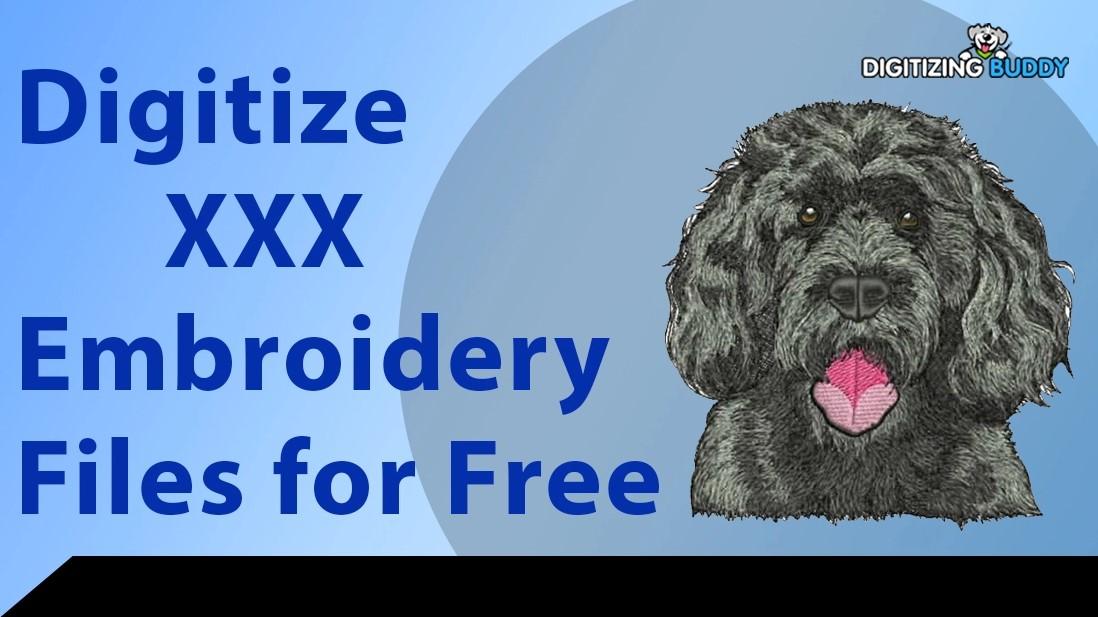
Creating stunning embroidered designs doesn’t have to break the bank, especially when you can digitize your artwork into XXX embroidery files without spending a dime. Whether you’re a beginner crafting personalized gifts, a small business owner branding apparel on a budget, or a hobbyist experimenting with your embroidery machine, free tools make it easy to turn your images into stitch-ready files. This guide explores how to digitize XXX files for free, the best tools to use, and tips to achieve professional results without costly software or services. Let’s dive into how to digitize XXX embroidery files for free.
What Are XXX Embroidery Files?
XXX embroidery files are a digital format compatible with certain embroidery machines, such as older Singer or Compucon models. These files contain instructions for stitch types, thread colors, and patterns, guiding your machine to recreate your artwork on fabric. Digitizing for XXX format involves converting images—like JPGs, PNGs, or vectors—into stitch-ready files using software. Free tools allow you to create these files at no cost, making embroidery accessible to everyone.
Why Digitize XXX Files for Free?
Digitizing XXX embroidery files for free offers several benefits:
- Cost Savings: Skip expensive software ($100–$1,000) or professional services ($10–$100 per design).
- Creative Freedom: Experiment with custom designs without financial risk.
- Accessibility: Perfect for beginners or hobbyists on a budget.
- Professional Results: Achieve clean stitches with the right tools and techniques.
- Versatility: Create designs for various fabrics, from cotton to denim.
This approach is ideal for anyone looking to explore embroidery without upfront costs.
Tools You’ll Need
To digitize XXX files for free, gather these essentials:
- Free Embroidery Software: Ink/Stitch, a free plugin for Inkscape, is the top choice for creating XXX files. Other free tools like SewArt (trial version) may also work.
- High-Quality Artwork: A clear JPG, PNG, or vector file (SVG or AI) with bold shapes and 3–5 colors.
- Computer: To run Inkscape and Ink/Stitch for digitizing.
- Embroidery Machine: Confirm it supports XXX files (check your machine’s manual).
- Image Editing Software (optional): Free tools like GIMP or Photopea to prep images.
These tools make free digitizing accessible and effective.
Step-by-Step Guide to Digitize XXX Files for Free
Follow these steps to convert your artwork into XXX embroidery files using Ink/Stitch, a free and powerful tool.
Step 1: Prepare Your Artwork
Choose a high-resolution image with bold outlines and 3–5 colors. Simple designs, like logos, text, or basic shapes, work best for embroidery, as XXX-compatible machines struggle with gradients or fine details. For example, a bold monogram or a star shape is ideal, while a complex photo needs simplification.
Use GIMP or Photopea to clean up the image. Remove backgrounds, boost contrast, or reduce colors to make it embroidery-ready. Save as a PNG, JPG, or SVG for importing into Inkscape.
Step 2: Install Inkscape and Ink/Stitch
Download and install Inkscape, a free vector graphics editor, from its official website. Then, add the Ink/Stitch plugin, available for free on the Ink/Stitch website. Follow the installation instructions to integrate it with Inkscape. This combo allows you to create XXX files without paying for software.
Step 3: Import the Artwork into Inkscape
Open Inkscape and import your image via “File” > “Import.” Resize the design to fit your machine’s hoop, such as 4x4 inches for small projects or 5x7 inches for larger ones. Use Inkscape’s grid or rulers to align the design accurately. If needed, use the “Trace Bitmap” tool to convert raster images (JPG/PNG) into vectors for easier digitizing.
Step 4: Digitize the Design
Convert your artwork into stitches using Ink/Stitch:
- Manual Digitizing: Use the “Path” or “Bezier” tool to trace each section of the design (e.g., text or shapes). Create separate paths for different colors or elements.
- Assign Stitch Types: In Ink/Stitch (under “Extensions” > “Ink/Stitch”), assign satin stitches for borders, fill stitches for large areas, or running stitches for details. For example, use satin stitches for a logo’s outline and fill stitches for its body.
- Color Mapping: Match colors to your thread chart (e.g., Isacord or Madeira) for accurate hues.
Manual digitizing ensures precision, though Ink/Stitch’s auto-trace feature can work for simple designs with some tweaks.
Step 5: Adjust Stitch Settings
Fine-tune settings in Ink/Stitch for a clean stitch-out:
- Stitch Density: Set fill stitches to 0.4–0.5 mm spacing to balance coverage and prevent puckering.
- Stitch Direction: Vary angles for texture and to avoid fabric distortion.
- Underlay Stitches: Add zigzag or lattice underlay to stabilize the fabric, especially for stretchy knits.
- Pull Compensation: Include 0.1–0.2 mm to account for slight design shrinkage during stitching.
Use Ink/Stitch’s “Simulate Embroidery” feature to preview the design and check stitch quality.
Step 6: Save as an XXX File
In Ink/Stitch, go to “Extensions” > “Ink/Stitch” > “Embroider” and select XXX as the output format. Save the file to your computer, then transfer it to your embroidery machine via USB or direct connection. Verify the file in Ink/Stitch or a compatible viewer to ensure all elements are intact.
Step 7: Test Your Design
Test the XXX file on scrap fabric before stitching on your final material. Use the same fabric and stabilizer—cut-away for stretchy fabrics, tear-away for stable ones like cotton. Check for thread breaks, puckering, or misaligned stitches. If needed, adjust settings in Ink/Stitch and re-save. Testing prevents wasted materials and ensures clean results.
Tips for Successful Free Digitizing
- Simplify Artwork: Use bold shapes and minimal colors for cleaner stitches.
- Match Stabilizers to Fabric: Choose cut-away for knits, tear-away for cotton, or water-soluble for delicate materials.
- Use Quality Threads: Stick to brands like Isacord or Madeira for vibrant, durable results.
- Practice Manual Digitizing: Auto-digitizing is quick, but manual tracing improves accuracy.
- Check Machine Compatibility: Confirm your machine supports XXX files to avoid issues.
Common Mistakes to Avoid
- Complex Images: Too many details or colors lead to messy stitches. Simplify artwork first.
- Ignoring Fabric Type: Use appropriate stabilizers and settings for each material.
- Skipping Tests: Test on scrap fabric to catch errors early.
- Low-Quality Images: Blurry or pixelated images produce poor results. Use high-resolution files.
Free vs. Paid Tools
Ink/Stitch with Inkscape is the best free tool for XXX files, offering robust features for beginners and hobbyists. Paid software, like Brother PE-Design or Wilcom Hatch ($100–$1,000), provides advanced auto-digitizing and editing tools but isn’t necessary for most projects. Ink/Stitch’s open-source community also offers tutorials and support, making it ideal for budget-conscious users.
DIY vs. Professional Services
DIY digitizing with Ink/Stitch saves money and builds skills but requires time and practice. Professional digitizing services ($10–$100 per design) are better for:
- Complex designs needing precise stitch placement.
- Bulk orders requiring consistent quality.
- Time-sensitive projects or specialty fabrics.
For hobbyists or beginners, free DIY digitizing is a great starting point.
Where to Find Design Inspiration
- Online Platforms: Browse Etsy or free clipart sites for simple, embroidery-friendly designs.
- Social Media: Check Pinterest or Instagram for ideas like monograms, florals, or logos.
- Your Artwork: Draw sketches or use free tools like Inkscape to create original designs, then simplify for embroidery.
Conclusion
Digitizing XXX embroidery files for free empowers you to create professional, custom designs without spending a dime. With tools like Ink/Stitch, clear steps, and a bit of practice, you can transform your artwork into vibrant stitches for any project. Simplify your images, test files on scrap fabric, and match stabilizers to materials for flawless results. Whether you’re crafting gifts or branding apparel, learning to digitize XXX embroidery files for free lets you unleash your creativity, making every stitch a masterpiece.

 English
 Arabic
 French
 Spanish
 Portuguese
 Deutsch
 Turkish
 Dutch
Dutch
 Italiano
 Russian
 Romaian
 Tiếng Việt