
Introduction
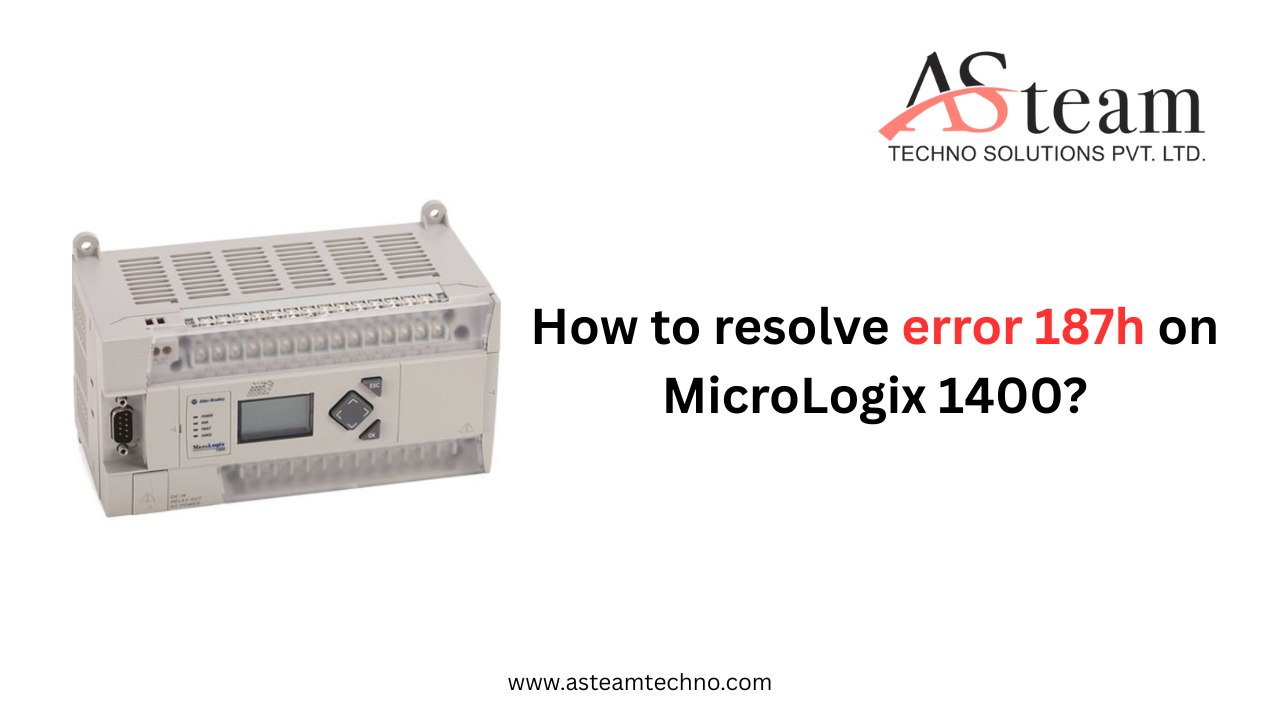
There’s nothing quite like the pit in your stomach when you see an angry, flashing fault light on a PLC. Your mind races—is it a major failure? Hours of downtime? For technicians and engineers working with the Allen Bradley MicroLogix 1400 1766-L32AWAA PLC, one of the most common culprits behind that light is Error 187h. But here’s the good news: this error is almost always a solvable configuration issue, not a catastrophic hardware meltdown. It’s the PLC’s way of asking for a little clarity, and with a systematic approach, you can have your system back online quickly.
What is Error 187h, Really?
Imagine you send a friend to the store with a detailed shopping list that says "get brand X milk and brand Y bread." They come back with a different brand of milk. You’d be confused, right? That’s essentially what’s happening inside your MicroLogix 1400. Error 187h is an I/O configuration mismatch. The PLC’s program has a precise list—a configuration—of what expansion modules it expects to find plugged into its side. When it performs a check and discovers that the physical hardware doesn’t match this digital blueprint, it triggers a fault. It’s not necessarily that something is broken; it’s just that reality doesn’t match expectations.
Why Does This Happen? Common Causes
This mismatch can occur for a few common and often simple reasons:
-
The Hardware Swap: The most frequent cause is replacing the PLC itself. If you swap a Series A MicroLogix 1400 for a Series B or C but don’t update the program’s controller type, the new processor will fault because it knows its internal identity is different.
-
The Program Mix-Up: Someone may have downloaded a program that was originally created for a different machine—one that had an extra analog module or a different digital card that your current setup lacks.
-
The Loose Connection: Sometimes, it’s just physical. An expansion cable isn’t fully seated, or a connector has worked itself loose over time, making a module invisible to the controller.
-
The Faulty Module: Occasionally, a module itself has failed. If it doesn’t power on or respond to the controller’s handshake, the PLC interprets this as a missing module, triggering the fault.
Your Step-by-Step Guide to Resolving Error 187h
Follow these steps methodically. The solution is almost always in one of these places.
1. The Physical Check: Start Simple
Before you even open your laptop, always start with the physical world. Power down the PLC safely. Check that the ribbon cable connecting the expansion I/O modules is secure at both ends. Ensure all modules are snapped firmly into place and that their status indicators are lit. A quick reseat of these connections has solved more problems than most care to admit.
2. The Digital Detective Work: RSLogix 500 Deep Dive
Now, connect to the PLC with RSLogix 500. This is where you become a detective comparing the clues to the evidence.
-
Go to Controller Properties and then the I/O Configuration tab.
-
Here, you’ll see a list of all the modules the program thinks should be installed.
-
Now, look at the actual physical rack. Do they match? Slot-for-slot, catalog number-for-catalog number?
-
If the program has a module configured that isn’t physically there, you’ve found your problem. Simply highlight it and click "Remove."
3. The Controller Type Mismatch
While still in Controller Properties, click on the General tab. Look at the "Processor Type" field. Does it exactly match the series of the physical PLC you are connected to (e.g., 1766-Lxxx B vs. C)? If not, that’s your issue. You must select the correct processor type from the dropdown menu. Remember, you may need to be in Program Mode to make this change.
4. Download and Clear
Once your digital configuration perfectly mirrors your physical hardware, it’s time to act. Download the corrected program to the controller. After a successful download, you’ll likely still be in fault. You need to clear it. Using the front keypad, you can often clear a persistent fault by cycling the keyswitch from RUN to PROG and back to RUN. The fault should clear, and the processor will resume normal operation.
Conclusion
Encountering Error 187h can be a momentary frustration, but it’s important to remember it’s a safeguard. This fault prevents the PLC from running a program that doesn’t match its hardware, which could lead to unintended machine operation. By following these logical steps—physical check, digital configuration review, correction, and reset—you resolve the miscommunication. View it not as a failure, but as a routine part of maintaining and modifying a robust control system.
Frequently Asked Questions (FAQs)
1. I've checked everything, and the configuration matches perfectly, but I still get Error 187h. What now?
If you're certain the configuration is correct, the issue likely points to a hardware problem. A faulty expansion cable or a damaged I/O module that isn't communicating properly can cause this. Try isolating the problem by removing modules one by one (and updating the config each time) to see if the fault clears. This can help you identify which component is causing the issue.
2. Can I just disable the I/O fault check to avoid this error?
It is technically possible to disable the major fault that halts the processor, but this is highly discouraged. This fault exists for a critical reason: to prevent the PLC from executing logic that is trying to read from or write to a non-existent module. Bypassing this safety check could lead to unpredictable machine behavior, production errors, or even safety hazards.
3. I don't have the original RSLogix 500 program file. How can I see what the PLC's configured I/O is?
You can upload the program from the MicroLogix 1400 itself. In RSLogix 500, use the "Upload" function. This will retrieve the current program and configuration from the PLC's memory, allowing you to see exactly what I/O modules it is expecting. You can then compare this uploaded configuration to your physical hardware.
Reach Us
Asteam Techno Solutions Pvt. Ltd. is AVEVA (Formerly Wonderware) Registered System Integrator providing sale/service/support and executing the HMI/SCADA, Historian/MES Solutions to End-user & OEM/System Integrator community for their diverse needs.
Leading single-source supplier & solution provider for industrial automation hardware and software solutions needed.
Preferred wholesale supplier, stockiest & exporter of Programmable Logic Controller (PLC), Drive (VFD), HMI, Panel PC, SCADA, Profibus Connector, Cable, and many more automation products.
We serve OEM, Pharmaceuticals, Chemicals, Petrochemicals, oil & gas, Panel manufacturers along with our process equipment. Also, we deliver services to Food processing OEM, electrical industries & mechanical industries with our special purpose process components.

 English
 Arabic
 French
 Spanish
 Portuguese
 Deutsch
 Dutch
Dutch
 Italiano
 Russian
 Romaian
 Portuguese (Brazil)
 Tiếng Việt